Creating a productive workstation in a small room requires more than finding a desk that fits between existing furniture. The challenge is designing a space that supports focused work while still respecting the realities of limited square footage, shared living areas, and changing daily routines. A bedroom corner, studio apartment, dining area, or multipurpose living room may need to serve as both a personal environment and a professional workspace.
A successful small-space workstation is not simply a reduced version of a traditional office. It requires decisions about how the room is used, which equipment deserves permanent space, and what can be stored away when work is finished. Ergonomic guidance from the Occupational Safety and Health Administration (OSHA) emphasizes that there is no single workstation arrangement that works for everyone. Instead, computer workspaces should be adjusted around the individual user, the equipment involved, and the tasks being performed.
The goal is not to recreate a corporate office inside a small home. A better approach is to create a flexible workstation that supports real work patterns. Someone attending frequent video meetings has different priorities from someone analyzing data, designing graphics, or writing documents for several hours a day. The most effective small-room setups balance comfort, efficiency, and the limitations of the available space.
Many people begin building a home workstation by shopping for equipment. They look for a desk, monitor, chair, or storage accessories before considering whether those items actually match the room. In a small space, planning should come first. The position of windows, electrical outlets, doors, walkways, and existing furniture often determines what kind of workstation will function well.
The first question should be how the space needs to work throughout the day. A person working from a bedroom corner may need a setup that can visually blend with the rest of the room after business hours. Someone using a dining area may need equipment that can be moved or stored easily. A remote employee who spends most of the day in meetings may prioritize lighting and background appearance, while someone doing technical work may need more surface space and monitor flexibility.
Small rooms often benefit from vertical thinking. When floor space is limited, walls, shelves, and elevated storage become valuable resources. Wall-mounted shelves, monitor arms, vertical document holders, and under-desk organizers can move essential items away from the main work surface. This creates a cleaner area without forcing everything into drawers where frequently used tools become inconvenient to access.
Desk placement also affects comfort. A workstation near a window may provide better natural lighting, but direct sunlight can create glare on a screen. A desk against a wall may save space but may feel restrictive for someone who needs room to spread out documents or creative materials. The best location depends on the person’s workflow rather than a single design rule.
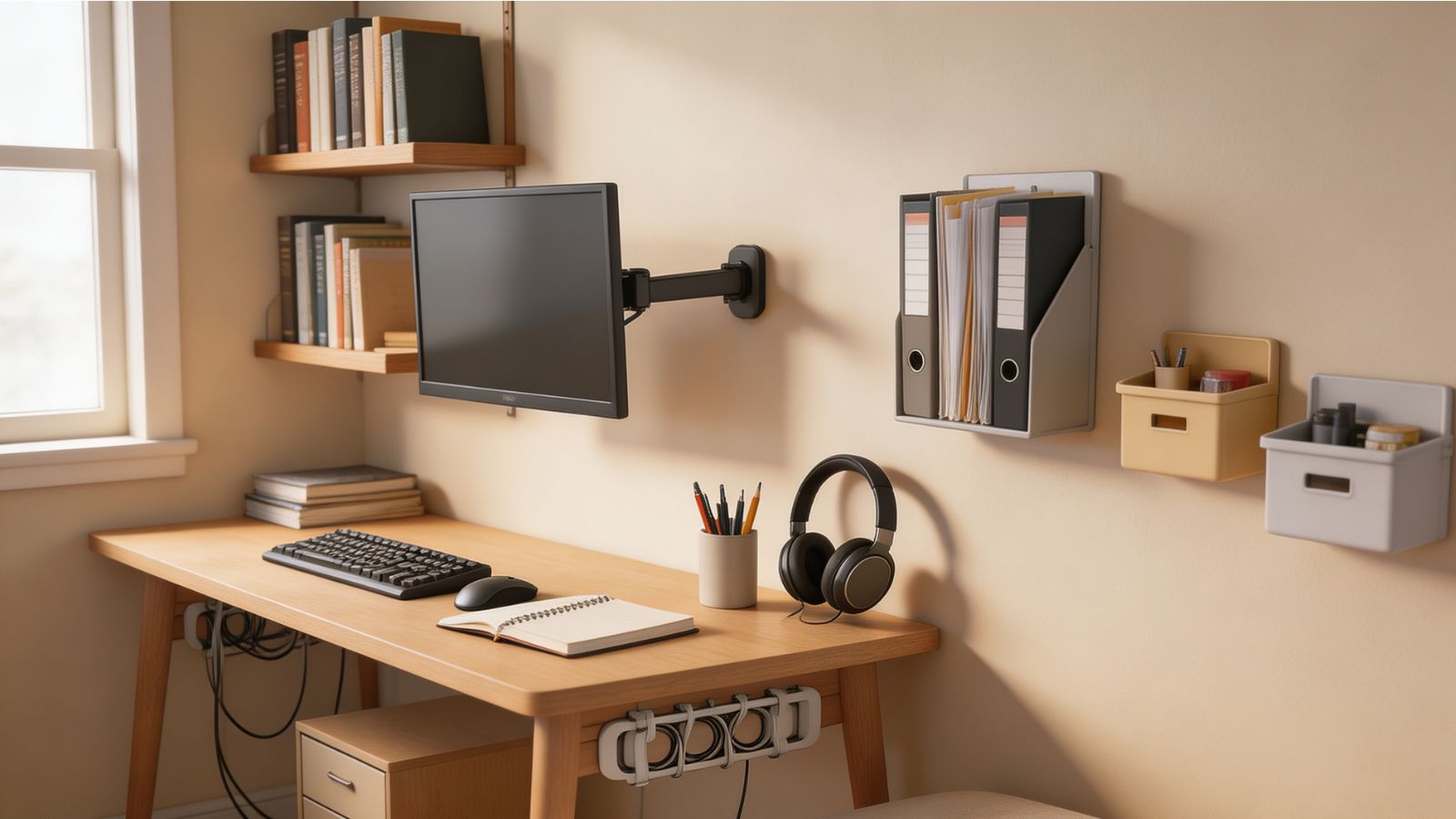
Limited space often causes people to compromise on ergonomics. A dining chair becomes a temporary office chair, a laptop sits directly on the desk for hours, or a monitor is positioned wherever there is available room. These solutions may work briefly, but they can become uncomfortable when a workstation is used every day.
OSHA’s computer workstation guidance focuses on arranging equipment to support comfortable positioning, reduce awkward postures, and allow users to interact with their tools more naturally. Recommended considerations include monitor placement, keyboard position, chair support, and enough workspace for frequently used equipment.
A small workstation does not require expensive furniture to become more comfortable. Simple changes can improve the setup significantly. Raising a laptop with a stand or monitor riser can help create a better viewing position. Adding a separate keyboard and mouse allows the screen and input devices to be positioned independently. Adjusting chair height or adding basic support can improve alignment when existing furniture cannot be replaced immediately.
One common mistake is choosing furniture based only on size. A narrow desk may fit perfectly in a room but create problems if it leaves no space for comfortable arm movement or proper equipment placement. OSHA notes that a well-designed desk should allow appropriate placement of computer components and reduce awkward reaching or positioning. The smallest workstation is not always the most efficient workstation; the better choice is the smallest setup that still supports comfortable daily use.
Small work areas become difficult to use quickly because clutter has fewer places to spread. In a large office, extra documents or unused equipment may remain on a side table without creating much disruption. In a compact workstation, a few misplaced items can interfere with the entire workflow.
The most practical approach is organizing items by frequency of use. Everyday tools such as a keyboard, notebook, headphones, charger, and writing materials should remain easy to access. Less frequently used equipment, archived paperwork, and spare accessories can move into drawers, shelves, or storage containers. The goal is not removing everything from sight but creating clear priorities.
Cable management is especially valuable in small rooms. Multiple devices can create unnecessary visual and physical clutter when cables cross the desk surface or collect around the floor. Simple solutions such as cable clips, sleeves, and under-desk organizers can make the workstation easier to maintain while keeping important connections accessible.
Temporary storage is also useful for people whose work changes from day to day. A marketing professional may need printed materials during a campaign planning week, while a researcher may temporarily require books and documents during a project. A small rolling cart, shelf, or storage box allows these materials to be available when needed without permanently taking over the workspace.
Furniture decisions have a major impact on whether a small workstation feels comfortable or restrictive. Many people choose desks based on appearance, especially when the workspace is located in a bedroom or shared living area. However, a visually attractive desk may not support the actual activities performed there.
A compact writing desk may be sufficient for someone who mainly uses a laptop and takes occasional notes. A deeper surface may be necessary for someone who works with multiple monitors, printed documents, or creative materials. Wall-mounted desks can be useful in extremely small rooms because they reduce floor usage, while storage-integrated furniture can help combine work and living functions.
Multi-purpose furniture is especially valuable in apartments and shared spaces. A desk that matches existing furniture, a foldable workstation, or hidden storage solutions can help maintain balance between professional and personal environments. However, flexibility should not become inconvenient. If setting up and removing a workstation requires significant effort every day, people may avoid using the setup properly.
A practical example is someone working from a studio apartment. Instead of creating a completely separate office area, they may use a compact desk against a wall, add vertical storage above it, and keep only essential equipment visible. After work, personal items can return to the surface, allowing the room to serve both purposes without feeling like a permanent office.
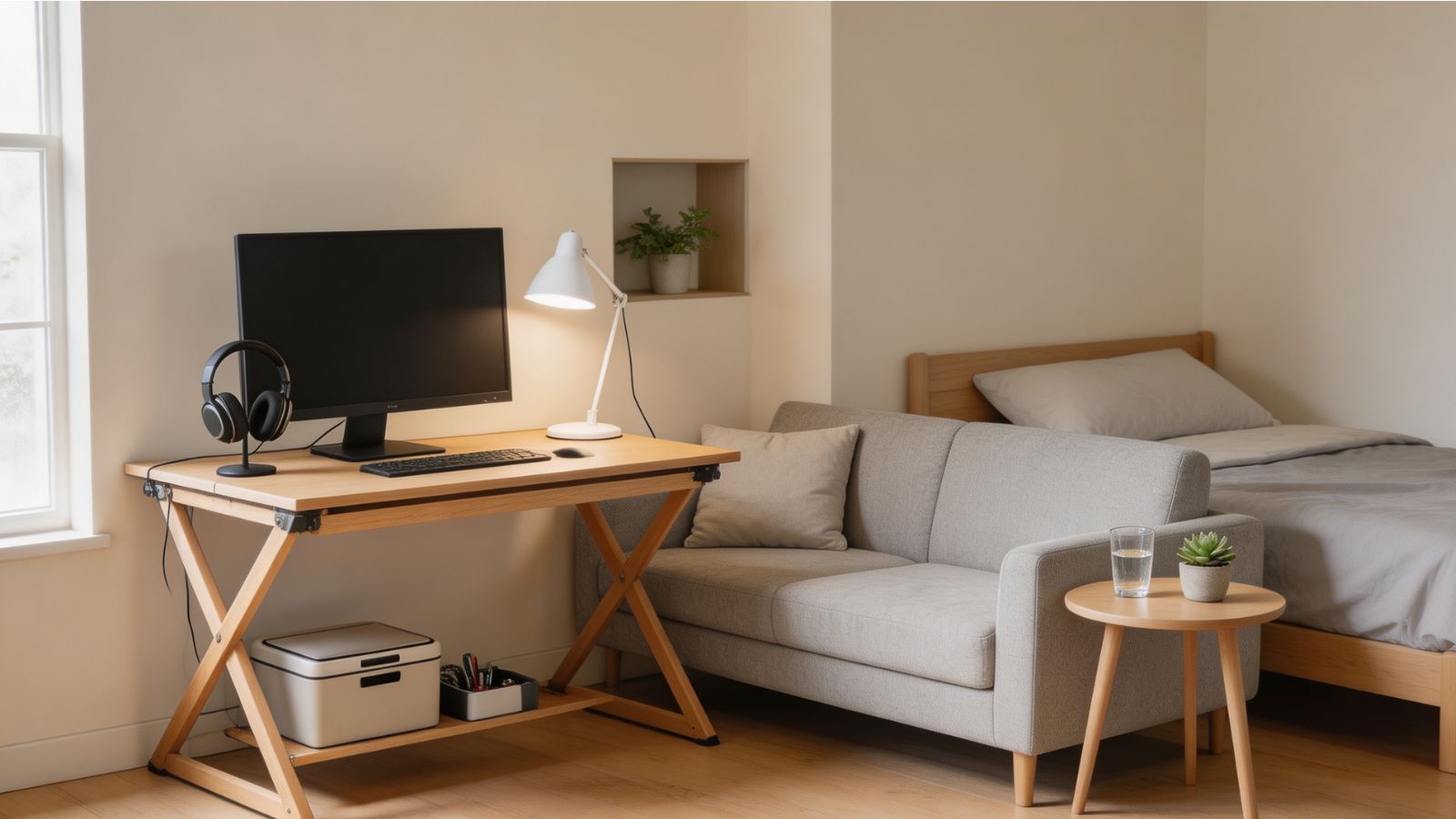
A productive workstation depends on more than furniture arrangement. Lighting, sound, and visual distractions can strongly influence how comfortable a small workspace feels. Because small rooms often cannot provide complete separation from household activity, environmental adjustments become especially important.
Lighting should support the type of work being performed. Natural light can make a room feel more open, but screen glare can create discomfort if the desk is positioned poorly. An adjustable desk lamp can provide additional task lighting without requiring major changes to the room. OSHA also recognizes lighting and glare control as important considerations when evaluating computer workstations.
Noise can be more challenging in apartments or shared homes. Complete sound isolation may not be realistic, but small improvements can make concentration easier. Rugs, curtains, upholstered furniture, and other soft materials can reduce sound reflection. Headphones may also help during focused tasks or online meetings.
Visual separation matters as well. A workstation placed in a bedroom or living room may need boundaries that are not physical walls. A shelf, room divider, different lighting, or a consistent desk arrangement can help create a mental transition between work time and personal time.
A workstation should be able to adapt because people’s work situations rarely stay exactly the same. Someone may begin with occasional remote work and later move into full-time home employment. A student may transition into freelance projects. A small business owner may add new tools and responsibilities over time.
Building a workstation gradually often works better than purchasing everything immediately. Start with the equipment that solves current problems, then improve the setup as needs become clearer. A person may begin with a laptop stand and external keyboard, then later add a monitor, improved lighting, or additional storage after understanding how they actually work.
Consider a remote marketing specialist working from a bedroom corner. During the workday, the space may include a laptop stand, microphone, notebook, and lighting for video calls. After work, some items move into storage while the desk remains part of the room. The workstation does not disappear, but it also does not dominate the entire living environment.
This approach works for many types of users, including freelancers, students, and professionals in shared homes. The best small-space workstation is not the one with the most equipment. It is the one that can support changing responsibilities without creating unnecessary inconvenience.
One frequent mistake is adding too much equipment too quickly. A small room has limited capacity, and every additional device competes for physical and visual space. A second monitor, printer, or accessory should solve a specific problem rather than simply make the workspace look more professional.
Another mistake is ignoring movement around the room. A desk may fit into a corner but still create frustration if the chair blocks storage, interrupts walking paths, or makes everyday activities harder. Good planning considers the entire room, not only the area occupied by the workstation.
People also underestimate maintenance. Small workspaces become cluttered faster because there is little extra room available. A simple weekly reset—returning supplies to storage, removing outdated papers, and clearing unused items—can keep the workstation functional over time.
A successful small workstation is not created once and forgotten. It evolves as work habits change. Regular adjustments help ensure that the space continues to support actual needs rather than outdated routines.
Building a productive and ergonomic workstation in a small room requires thoughtful decisions about space, equipment, organization, and daily habits. A limited living area does not prevent someone from creating a comfortable place to work; it simply requires more intentional planning.
The most effective setups focus on how people actually use their workspace. By applying ergonomic principles, using vertical storage, choosing furniture based on workflow, and allowing the environment to adapt over time, even a small corner of a home can become a reliable and comfortable place for focused work.
