Modern apps and websites are built to make access effortless. A quick glance at a phone can open a social feed, a thumb swipe can load another video, and a browser remembers exactly where a user left off. There is almost no gap between wanting to see something and having an endless stream of content appear on the screen. That convenience is useful when the goal is to find something specific, but it can also make casual browsing remarkably easy to repeat. A few minutes of checking can turn into a much longer session simply because there is nothing in the environment telling the user to pause.
Willpower alone is not always a reliable solution. When a distracting activity requires almost no effort, resisting it means making a deliberate decision every time the impulse appears. A more practical approach is to change the environment itself. By adding small, intentional obstacles to low-value activities, it becomes easier to pause and decide whether the activity is actually worth the time.
In behavioral economics and human-computer interaction, friction generally refers to the effort, time, or number of steps involved in completing an action. Good interface design often tries to remove unnecessary friction. Remembered passwords make sign-ins faster. Autoplay removes the need to choose the next video. Infinite scrolling eliminates the need to open another page.
Those features can be convenient, but convenience is not always helpful when the activity itself is something a person is trying to do less often.
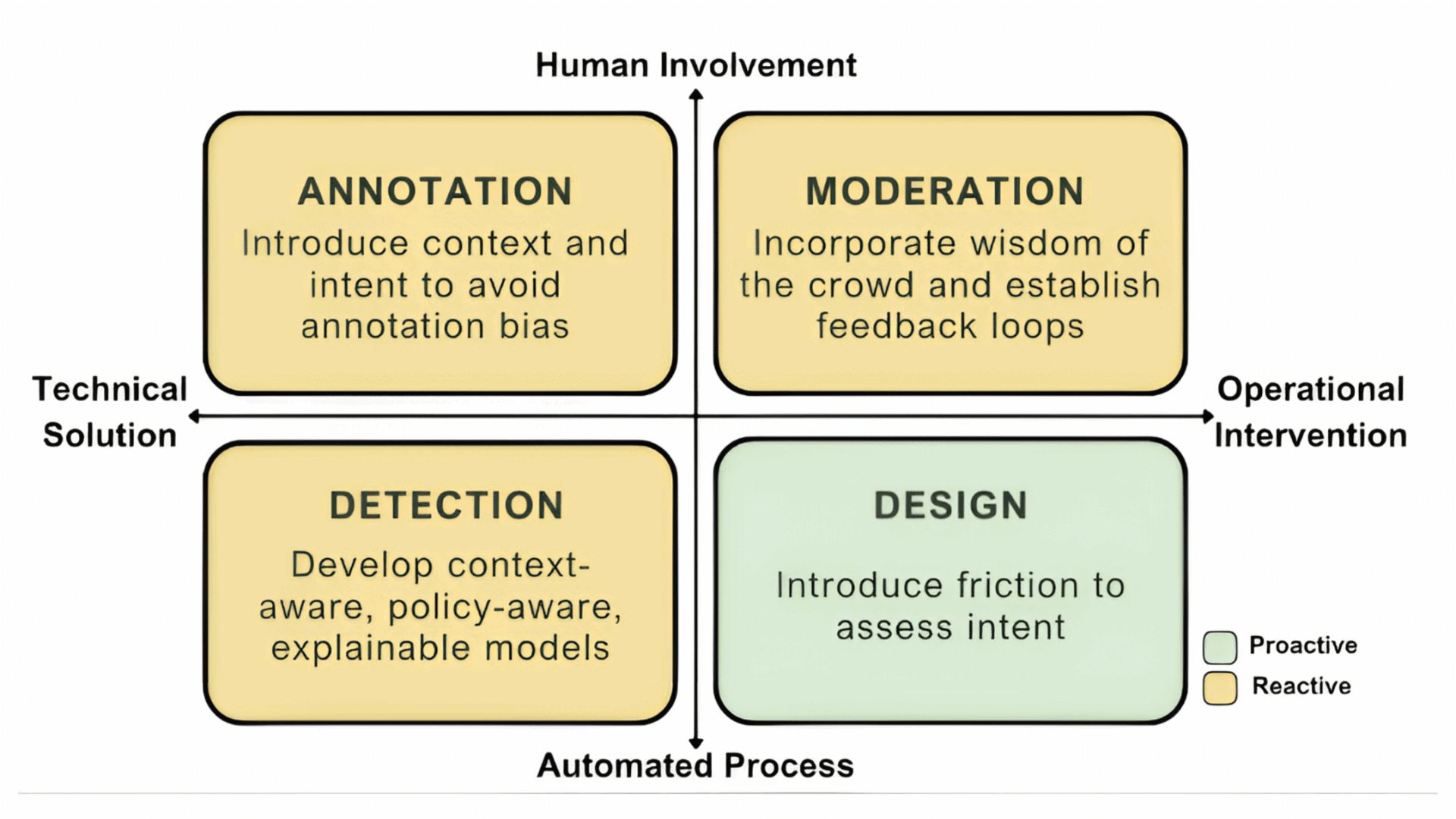
Adding a little friction can create a useful pause. Imagine a bowl of snacks sitting on a kitchen counter. When it is immediately visible and within reach, grabbing something requires almost no thought. Put the same snacks in a container inside a cupboard, and there is suddenly an extra step between noticing them and eating them. That extra effort does not make eating impossible. It simply creates a moment in which the decision becomes more conscious.
Digital habits can work in a similar way. Moving a distracting app away from the home screen, requiring a short delay before opening it, or removing automatic access to a familiar website can create that same kind of pause.

A smartphone home screen is one of the first things seen when the device is unlocked, so it can quietly influence what happens next. Bright icons, unread badges, and familiar app positions make certain actions almost automatic.
One simple adjustment is to move social media, entertainment, news, and other frequently distracting apps away from the first screen. They can be placed inside a folder, moved to another page, or removed from the home screen while remaining installed. The goal is not to make useful services inaccessible. It is to stop them from being the default option every time the phone is opened.
Display settings can also change the visual experience. Many devices offer a grayscale mode that removes much of the color from the interface. This will not eliminate the desire to browse, but it can make the screen less visually stimulating and reduce some of the cues that make certain apps stand out.
The broader principle is simple: make the behavior less automatic without making it impossible.
Another option is to introduce a brief delay between deciding to open an app and actually reaching its content. Some devices and third-party tools offer app limits, blocking schedules, or confirmation steps that can serve this purpose.
The delay does not need to be dramatic. Even a few seconds can create enough space for a basic question: “What am I opening this for?”
That question is useful because many browsing sessions do not begin with a clear intention. Someone may unlock a phone while waiting for an elevator, open a familiar app without thinking, and only later realize that the original reason for picking up the device has disappeared.
A small barrier interrupts that sequence. If there is a genuine reason to use the app, the extra step is easy to complete. If the impulse was simply boredom or habit, the pause may be enough to move on.
Saved credentials are convenient, and in most situations they should remain enabled. There is no good reason to make essential accounts unnecessarily difficult to access just to reduce screen time.
For particularly distracting websites or services, however, removing a shortcut or signing out after a session can add useful friction. The important point is to avoid compromising account security in the process. Built-in screen-time controls, focus modes, website blockers, or scheduled access restrictions are usually better options than repeatedly entering passwords or weakening security practices.
The purpose of friction is to interrupt an unwanted habit, not to make important digital tasks frustrating.
Intentional friction does not mean deleting every social account, abandoning streaming services, or turning a smartphone into a severely restricted device. That approach may work for some people, but it is unnecessary for many others and can be difficult to maintain.
A better system distinguishes between useful technology and passive consumption.
Email may be essential for work. Maps may be essential while traveling. Banking and authentication tools may be essential for everyday tasks. Those services should remain easy to access.
An infinite video feed is different. If it routinely consumes more time than intended, adding a little friction can be helpful.
The objective is not to make technology difficult. It is to make the most distracting behaviors slightly less convenient.
There is a useful boundary between protective friction and unnecessary inconvenience.
Adding several extra steps to a banking application may create security and usability problems without addressing the real issue. Adding a confirmation step before opening a short-form video feed, on the other hand, directly targets the behavior that is causing the distraction.
A good rule is to ask whether the extra step serves a purpose. If it protects attention from a behavior that repeatedly happens without much conscious choice, it may be worth keeping. If it simply makes ordinary tasks slower, remove it.
The best digital environment is not the one with the most restrictions. It is the one where the amount of effort required roughly matches the value of the action.
Web browsers make content extremely easy to reach. A few pinned tabs and frequently visited shortcuts can turn a quick check into a default routine.
One simple change is to close distracting tabs rather than leaving them open indefinitely. Another is to remove frequently visited social or news sites from the most visible parts of the browser.
Bookmarks can still be useful. Instead of treating them as instant-access shortcuts, organize them around specific purposes. A folder for research, another for work, and another for reading makes the browser feel more like a tool and less like a doorway to an endless feed.
Typing a website address or opening a bookmark may take only a few seconds, but that is enough to introduce a decision that was previously missing.
Streaming services are designed to make the next piece of content easy to start. That convenience is one reason casual viewing can continue longer than expected.
A useful form of friction is to move entertainment into a more deliberate setting. For example, someone who repeatedly watches short clips on a phone might reserve longer-form viewing for a television or another device associated with planned entertainment.
The objective is not to make watching television difficult. It is to separate intentional viewing from automatic browsing.
There is a meaningful difference between deciding to watch a particular program and opening an app simply because nothing else is happening.
Real-time news notifications are another area where friction can help. Breaking information can be important in certain situations, but many routine updates do not require immediate attention.
Instead of receiving a stream of alerts throughout the day, consider checking a small number of trusted news sources at scheduled times. A morning review and another check later in the day may provide enough information for many people, while those who need real-time updates for work or other responsibilities can maintain the specific alerts that genuinely matter.
The principle is not to ignore the news. It is to separate information that requires immediate awareness from information that can wait.
That distinction can turn dozens of scattered interruptions into one or two intentional reading periods.

Digital speed bumps work best when each one has a clear job. Moving an app off the home screen should make accidental opening less likely. A short access delay should interrupt an automatic habit. Closing browser tabs should prevent yesterday's distractions from becoming today's default options.
Without a clear purpose, restrictions quickly become annoying and are likely to be removed.
It also helps to change one or two things at a time. Moving every app, disabling every shortcut, and blocking every website at once can make a device frustrating to use. A smaller experiment is easier to evaluate. If moving a social app off the home screen noticeably reduces casual checking, there may be no need for a more aggressive restriction.
A digital environment that works during a quiet weekend may not work during a busy workweek. Travel, deadlines, family responsibilities, and changes in routine can all alter which notifications and apps need immediate access.
That is why intentional friction should be treated as an adjustable system rather than a permanent rule.
Every few months, review the barriers that have been added. Which ones are actually reducing unwanted browsing? Which ones are creating unnecessary inconvenience? Has an app become more important since the settings were created? Has another one become less useful?
Keep the barriers that help. Remove the ones that do not.
The strongest benefit of digital friction is not that it prevents a person from using technology. It creates a small space between an impulse and an action.
That space can be surprisingly valuable. A distracting app is still available. A news site can still be opened. A streaming service can still be used. Nothing has been permanently taken away.
The difference is that the next step now requires a choice.
When useful tools remain easy to reach while low-value content requires a little more effort, the digital environment begins to support intentional behavior rather than automatic consumption. That is the real purpose of a digital speed bump: not to stop technology from being convenient, but to make convenience work in the right direction.
