Long hours at a desk rarely become uncomfortable because of one single mistake. More often, fatigue develops from small patterns repeated throughout the workday: staying in one position too long, keeping the shoulders tense during concentration, reaching for equipment placed slightly out of the way, or moving too little between tasks. These habits are easy to overlook because they usually do not create immediate problems, but over time they can make desk work feel more physically demanding.
Ergonomic micro-habits are small adjustments that fit naturally into existing routines. Unlike a separate workout program, they are designed to happen while working: standing briefly between meetings, changing position after completing a task, relaxing unnecessary muscle tension, or adjusting equipment when the body begins to feel restricted. The purpose is not to create a perfect posture that must be maintained all day. Ergonomic guidance from the Occupational Safety and Health Administration (OSHA) emphasizes that there is no single correct workstation arrangement for everyone; instead, workspaces should support comfortable positioning, adjustability, and natural movement.
For many professionals, especially remote workers and people in computer-heavy roles, the biggest improvement comes from making movement part of the workflow rather than treating it as something separate from work. A sustainable approach combines a reasonable workstation setup with simple habits that encourage position changes throughout the day.
Computer work usually requires less physical effort than many occupations, but that does not mean the body is inactive. Sitting, typing, looking at a screen, and using a mouse often involve repeated movements and long periods of limited variation. The challenge is not only the amount of movement but the lack of changes in position and muscle activity.
A person writing reports for several hours may keep the head slightly forward, the shoulders raised, and the hands in nearly the same position for extended periods. Someone analyzing data may remain focused on multiple screens and unconsciously reduce movement because changing position feels like an interruption. These patterns are common because concentration naturally encourages people to stay still.
OSHA identifies factors such as awkward postures, repetition, and prolonged static positions as important considerations when evaluating computer workstations. The organization also notes that workstation design should help users maintain more neutral positions and allow adjustments rather than forcing the body into one fixed arrangement.
Micro-habits address this problem by adding small moments of variation. Standing for a minute after finishing a document, shifting position before starting a new task, or walking briefly while taking a phone call may seem insignificant individually. However, these actions prevent the entire workday from becoming one continuous period of limited movement.
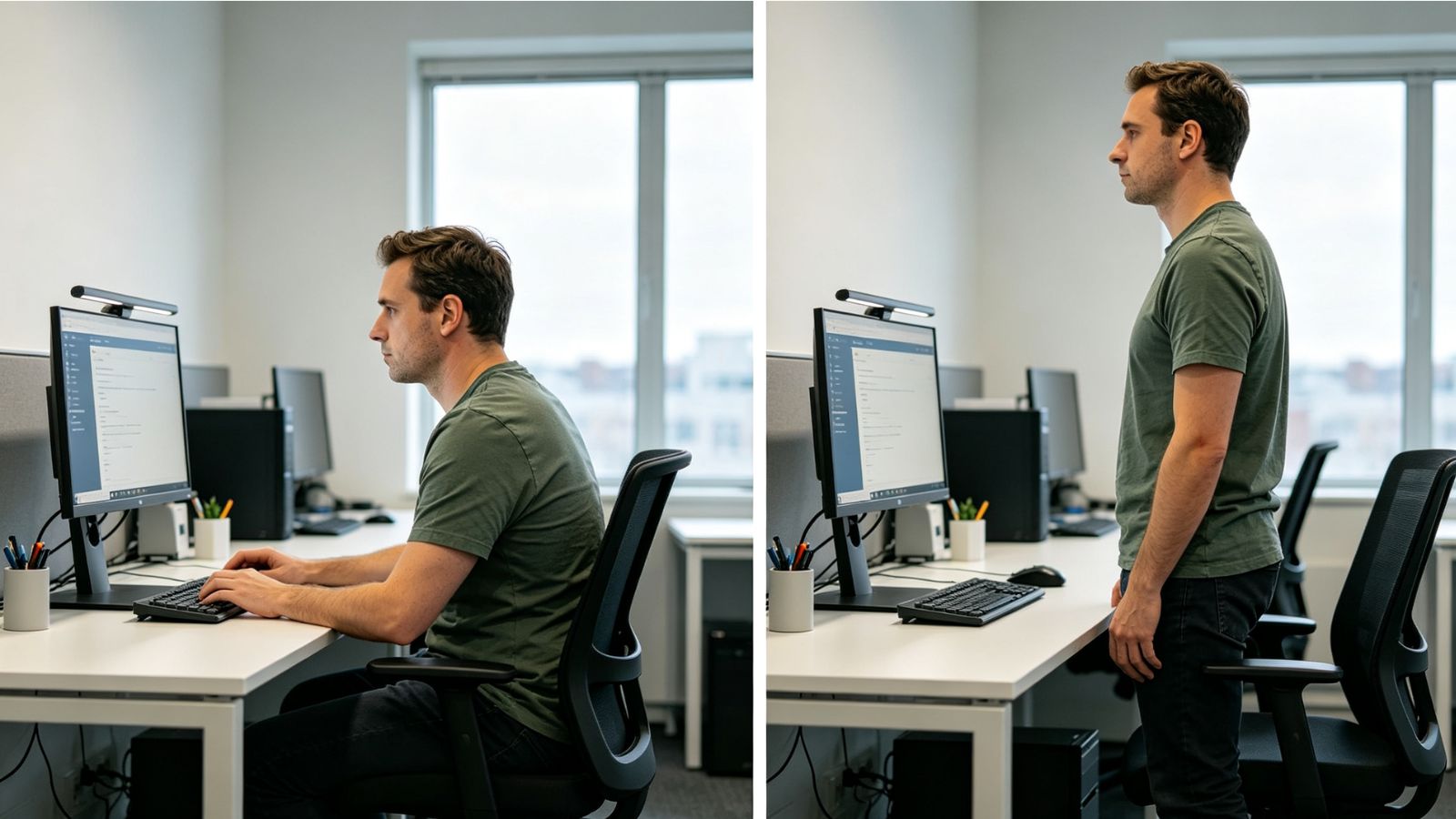
The easiest habits to maintain are usually connected to events that already happen. Many people fail to build movement routines because they create additional tasks that compete with their workload. A reminder to stretch every hour may be ignored during a busy project, while a habit attached to an existing activity is more likely to become automatic.
For example, finishing a video meeting can become a signal to stand up before opening the next application. Completing a long email response can become a reminder to adjust posture and relax the shoulders. Waiting for a file to upload can become an opportunity to briefly leave the chair. These actions do not require a major schedule change because they use moments that already exist.
The same principle works for people who spend most of the day in deep concentration. A software developer may not want frequent interruptions while solving a complex problem, but they can use natural stopping points such as saving a completed section of code or reviewing progress before changing position. A writer may stand while reviewing research notes instead of remaining seated for every stage of the process.
The goal is not following an exact movement schedule that works for everyone. Different jobs have different demands, and individual comfort varies. The more realistic approach is creating small opportunities for movement that fit the way work is actually performed.
One of the most common misunderstandings about ergonomics is the idea that there is one ideal sitting position. In reality, even a well-supported posture can become uncomfortable when maintained for too long without change. The body generally benefits from variation rather than remaining completely still.
Posture variety means allowing natural adjustments throughout the day. A person may sit back while reading, lean slightly forward during detailed work, change foot position, or briefly stand during a phone conversation. These small adjustments distribute physical demands instead of placing the same areas under constant pressure.
Workstation setup still matters because poor equipment placement can encourage unnecessary strain. OSHA recommends arranging keyboards, pointing devices, monitors, and other frequently used components so they can be reached comfortably without excessive stretching or awkward positioning. A monitor placed too far away, a mouse positioned too far to one side, or a keyboard placed at an uncomfortable height can make normal work habits more difficult.
However, people should avoid turning ergonomics into another source of stress. Constantly monitoring every movement or worrying about maintaining perfect alignment can make work less comfortable. A practical workstation allows frequent small adjustments rather than demanding one rigid posture.
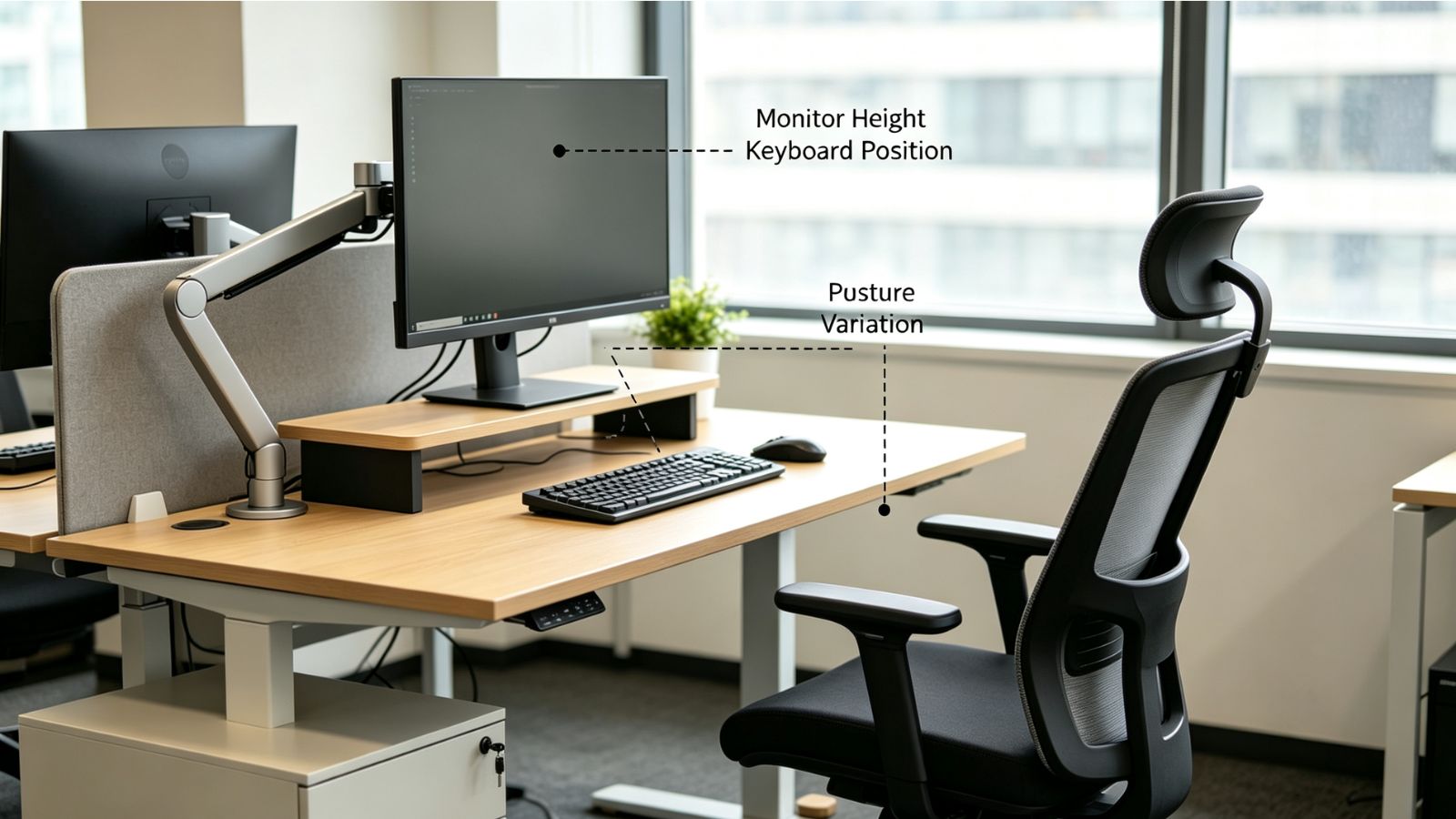
Not every movement strategy requires leaving the workstation. While walking breaks can be useful, small adjustments performed during normal tasks can also introduce more physical variety. These movements are especially practical during periods when leaving the desk is difficult.
Simple examples include lowering tense shoulders after completing a difficult task, changing hand position, adjusting chair angle, or briefly looking away from the screen. These actions are not intended as formal exercise routines. They are reminders that the body does not need to remain frozen while the mind is focused.
Hands and wrists deserve particular attention because computer work often involves repeated keyboard and mouse use. OSHA recommends arranging keyboards and pointing devices to support neutral wrist positions and reduce unnecessary reaching. Keeping frequently used devices close to the body and avoiding excessive wrist bending can make everyday computer tasks more comfortable.
Breathing patterns are another overlooked habit. During stressful deadlines, people often tighten their shoulders, clench their jaw, or hold tension without noticing. Briefly relaxing these areas after completing a challenging task can become a simple reset point during the workday.
Good ergonomic habits become easier when the physical environment supports them. A workstation that makes movement inconvenient can encourage people to remain in the same position for longer than they intended. Small design choices can create natural opportunities for adjustment.
For example, placing a water bottle slightly away from the desk encourages occasional standing. Keeping frequently used documents on a nearby shelf instead of directly beside the keyboard may create small moments of movement. A sit-stand desk can provide additional flexibility for some users, although the goal is not simply standing for longer periods. The benefit comes from having more options throughout the day.
The arrangement of equipment also influences movement. A cluttered desk may force awkward reaching, while a properly organized workspace keeps important tools within comfortable range. OSHA notes that desk surfaces should provide enough space for proper placement of monitors, keyboards, and pointing devices while reducing awkward postures.
For remote workers, environmental cues are especially important because home offices often lack the natural transitions found in traditional workplaces. Walking to another room before lunch, taking a short break between meetings, or creating a clear end-of-day routine can help separate work periods and encourage more movement.
A common mistake is making ergonomic improvement too complicated. People may create long lists of stretches, reminders, and posture rules that become difficult to maintain. When the system requires too much attention, it often disappears during busy periods.
Effective micro-habits are usually simple enough to continue without much effort. Standing during a phone conversation, changing position after completing a task, or checking whether the shoulders are relaxed can become part of normal work behavior. The best habits are the ones that remain useful during stressful weeks, not only during carefully planned routines.
Another mistake is focusing only on movement while ignoring the workstation itself. Micro-habits work best when combined with a reasonable desk arrangement. A comfortable chair, appropriate monitor placement, and correctly positioned keyboard and mouse provide the foundation for easier movement.
It is also important to recognize limitations. Workplace movement strategies are intended to support general comfort and better work habits, not diagnose or treat medical conditions. Anyone experiencing persistent pain, numbness, or other concerning symptoms should seek advice from a qualified healthcare professional.
The value of ergonomic micro-habits comes from consistency. A person who changes position regularly, notices unnecessary tension, and creates small movement opportunities throughout the day is building a more adaptable relationship with desk work.
A sustainable routine does not require completely redesigning a schedule. It can begin with one or two changes: standing after meetings, adjusting the workspace layout, or taking short pauses between demanding tasks. Over time, these small behaviors become part of how work is performed rather than additional tasks that must be remembered.
For someone working remotely from a small home office, these habits can be especially useful because the boundaries between work and personal life are often less obvious. A few minutes of movement between projects, a brief walk after finishing work, or a deliberate change in posture can create valuable separation during long computer-based days.
The most effective ergonomic approach is flexible. It recognizes that people work differently, schedules change, and no single routine fits everyone. The goal is not perfection but creating a work environment where movement, comfort, and focus can exist together.
Long desk sessions do not have to mean accepting constant stiffness or fatigue as part of normal work. Ergonomic micro-habits provide a practical way to introduce more movement and awareness into everyday routines without requiring major lifestyle changes.
The strongest results usually come from combining several small improvements: adjusting the workstation, changing positions regularly, reducing unnecessary reaching, and connecting movement with natural work transitions. These strategies do not replace regular physical activity or professional advice when needed, but they can help create a more comfortable and sustainable approach to computer-based work.
