A standing desk is often viewed as a simple way to reduce sitting time, but the most effective setups are not based on standing all day. A practical sit-stand workstation gives users the ability to change positions throughout the workday based on their tasks, comfort, and workflow.
The purpose of a standing desk is not to eliminate sitting completely. Instead, it creates more flexibility by allowing users to alternate between sitting, standing, and short periods of movement. The right approach depends on the type of work being performed, the user’s workstation setup, and how easily the desk can be adjusted.
OSHA’s computer workstation guidance emphasizes that workstations should support neutral body positioning and be adjusted to fit individual users. Its recommendations focus on arranging chairs, desks, monitors, and input devices to reduce awkward working positions. Cornell University’s Ergonomics program similarly emphasizes that workstation design should be adapted to the individual rather than relying on a single setup that works for everyone.
A successful standing desk routine is therefore less about reaching a certain amount of standing time and more about creating a workspace that supports regular position changes.
Buying a height-adjustable desk does not automatically create a better workstation. The value of the desk depends on whether users actually incorporate position changes into their daily routine.
Spending an entire workday standing may feel uncomfortable for some people and does not necessarily provide the same benefit as regularly changing positions. A sit-stand workstation works best when it allows users to move between positions throughout the day rather than replacing one fixed posture with another.
A schedule helps make those changes easier. Instead of waiting until discomfort appears, users can connect position changes with normal work activities. For example, standing may become part of phone calls, reading tasks, or planning sessions, while seated positions may remain preferable for detailed computer work.
The most suitable routine will vary between users. Someone writing reports, analyzing data, attending meetings, or managing customer requests may need different approaches depending on how much concentration, movement, and computer interaction their work requires.
Before deciding when to stand, the workstation should be adjusted correctly. A poorly positioned desk can create unnecessary strain even if the user changes positions frequently.
When standing, the desk height should allow the elbows to remain close to the body, with the forearms roughly parallel to the floor while using the keyboard and mouse. The monitor should be positioned so the user can view the screen comfortably without repeatedly bending the neck forward or looking excessively upward.
The seated position also needs attention. A standing desk does not replace the need for a properly adjusted chair. Many users achieve better results by creating two comfortable setups: one for sitting and one for standing.
Small adjustments can make a significant difference. Monitor height, keyboard placement, chair settings, and desk height should work together rather than being treated as separate issues.
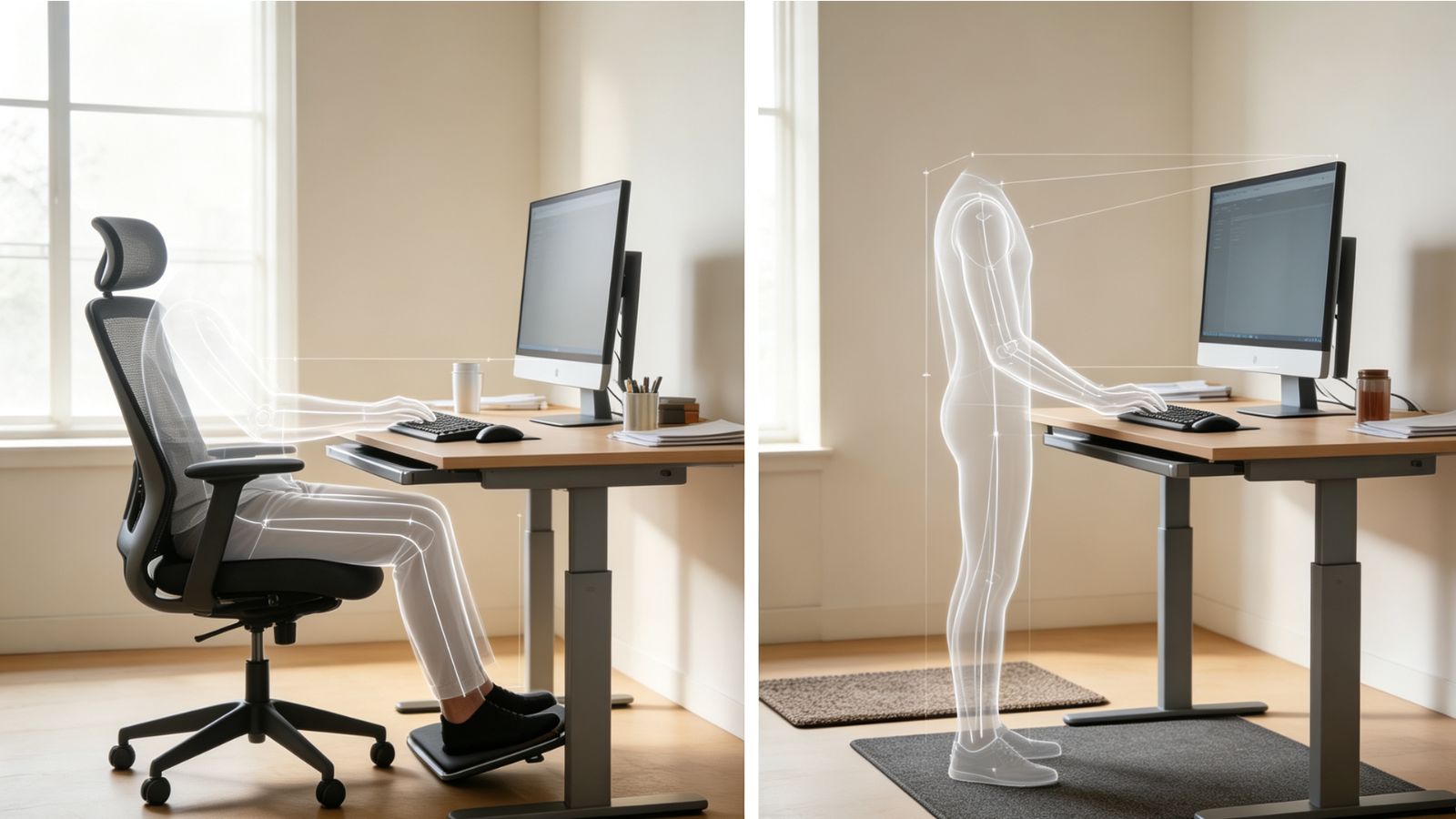
Different jobs require different levels of concentration and movement. A useful sit-stand routine should follow the rhythm of the workday instead of forcing every user into the same pattern.
Programmers, writers, researchers, and analysts often spend long periods completing tasks that require concentration and accuracy.
For these users, standing may work better during lower-intensity activities rather than during every task. For example, someone may sit while writing code, preparing reports, or analyzing data, then switch to standing while reviewing documents, organizing tasks, or planning the next stage of work.
The goal is to avoid staying in one position for several uninterrupted hours. Shorter transitions are often easier to maintain than attempting a complete change from sitting all day to standing all day.
People who spend much of the day in video meetings or phone calls may have more opportunities to use a standing desk.
Standing can fit naturally into meetings that involve listening, discussion, or reviewing information. However, meetings that require detailed note-taking, screen sharing, or complex computer work may still be easier while seated.
The best approach is to match the position with the activity rather than deciding that every meeting should happen while standing.
Designers, architects, and other creative professionals often move between detailed computer work, reviewing materials, and collaborative discussions.
A flexible sit-stand routine can support these changes. Standing may work well during brainstorming, reviewing layouts, or organizing ideas, while sitting may be more practical during precise editing tasks.
For creative workers, the main advantage of a standing desk is having more options rather than following a strict standing requirement.
Workers handling emails, scheduling, phone calls, and customer communication often have more natural opportunities to change positions.
Standing during phone conversations, reading documents, or organizing daily tasks can introduce more variety. Seated positions may remain preferable during periods requiring sustained keyboard work.
Because these roles often involve repeated activities, using different positions throughout the day can make the workstation feel less restrictive.
There is no single sit-stand schedule that works for every employee. The most practical routine is usually one that fits existing tasks rather than interrupting productivity.
The following examples are starting points that users can adjust based on comfort, workload, and workstation design.
For someone who spends the day handling emails, documents, and occasional meetings:
9:00–10:30: Sit during focused computer tasks
10:30–11:00: Stand while reviewing emails, reading documents, or making phone calls
11:00–12:00: Return to sitting for detailed work
After lunch: Add a short standing period before returning to seated tasks
Afternoon: Change positions based on meetings, concentration needs, and workload
The purpose is not to achieve a fixed number of standing hours. The goal is to avoid remaining in one position for most of the day.
For users who spend most of the day programming, writing, or analyzing information:
Use seated positions for tasks requiring precision
Stand during planning, reviewing, or reading activities
Add short movement breaks between major work sessions
A standing desk becomes more useful when it supports different types of work rather than requiring one position throughout the day.
For workers with frequent calls:
Stand during selected meetings when keyboard use is limited
Sit during complex discussions requiring detailed notes
Use transitions between meetings as opportunities to change position
This approach makes standing part of the normal workflow instead of an additional task to remember.
There is no universal sit-stand schedule that applies to everyone. Individual comfort, job requirements, and workstation design all influence what feels sustainable.
Some users choose to change positions every 30 to 60 minutes, although the most suitable interval depends on the person and the activity being performed. A worker completing detailed analysis may prefer longer seated periods, while someone attending calls may switch positions more frequently.
A practical starting point is to experiment with shorter standing periods and adjust gradually.
Signs that the routine may need modification include:
Increased foot or leg discomfort while standing
Shoulder or neck tension caused by poor desk positioning
Difficulty maintaining a comfortable working position
Frequent fatigue during normal work periods
A useful schedule should feel natural enough to maintain over time.
Many people purchase height-adjustable desks with the intention of moving more during the workday, but the desk may eventually be used like a traditional sitting desk.
One reason is convenience. If adjusting the desk feels inconvenient or interrupts concentration, users may postpone changing positions and return to their previous habits.
Another issue is that some people focus only on standing time rather than overall workstation flexibility. A desk that is difficult to adjust, combined with a poorly positioned monitor or keyboard, may discourage regular use.
The transition is also harder when standing is introduced without considering the type of work being performed. Detailed spreadsheet work, writing, or precision tasks may not feel comfortable if the standing setup has not been adjusted properly.
A more practical approach is connecting standing with specific activities:
Standing during phone calls
Standing while reviewing documents
Standing during planning sessions
Sitting during detailed computer work
A successful sit-stand workstation is not one where the user stands as much as possible. It is one where changing positions becomes simple enough to become part of the normal workday.
One common mistake is treating a standing desk as a complete replacement for sitting immediately.
Someone who normally sits most of the day may find long standing periods difficult if the transition happens too quickly. Gradually increasing standing time allows users to find a routine that feels sustainable.
The standing environment also affects comfort. Hard flooring and unsupportive footwear may influence how comfortable longer standing periods feel.
An anti-fatigue mat may be useful for some users, but it does not replace proper desk adjustment or regular movement.
Standing is not automatically active. Remaining in the same standing position for long periods may contribute to discomfort for some users.
Changing weight between feet, taking short walking breaks, and adjusting position can make standing more dynamic.
A standing desk does not remove the need for a quality chair. Many users create better workstations by improving both seated and standing positions instead of focusing on only one.
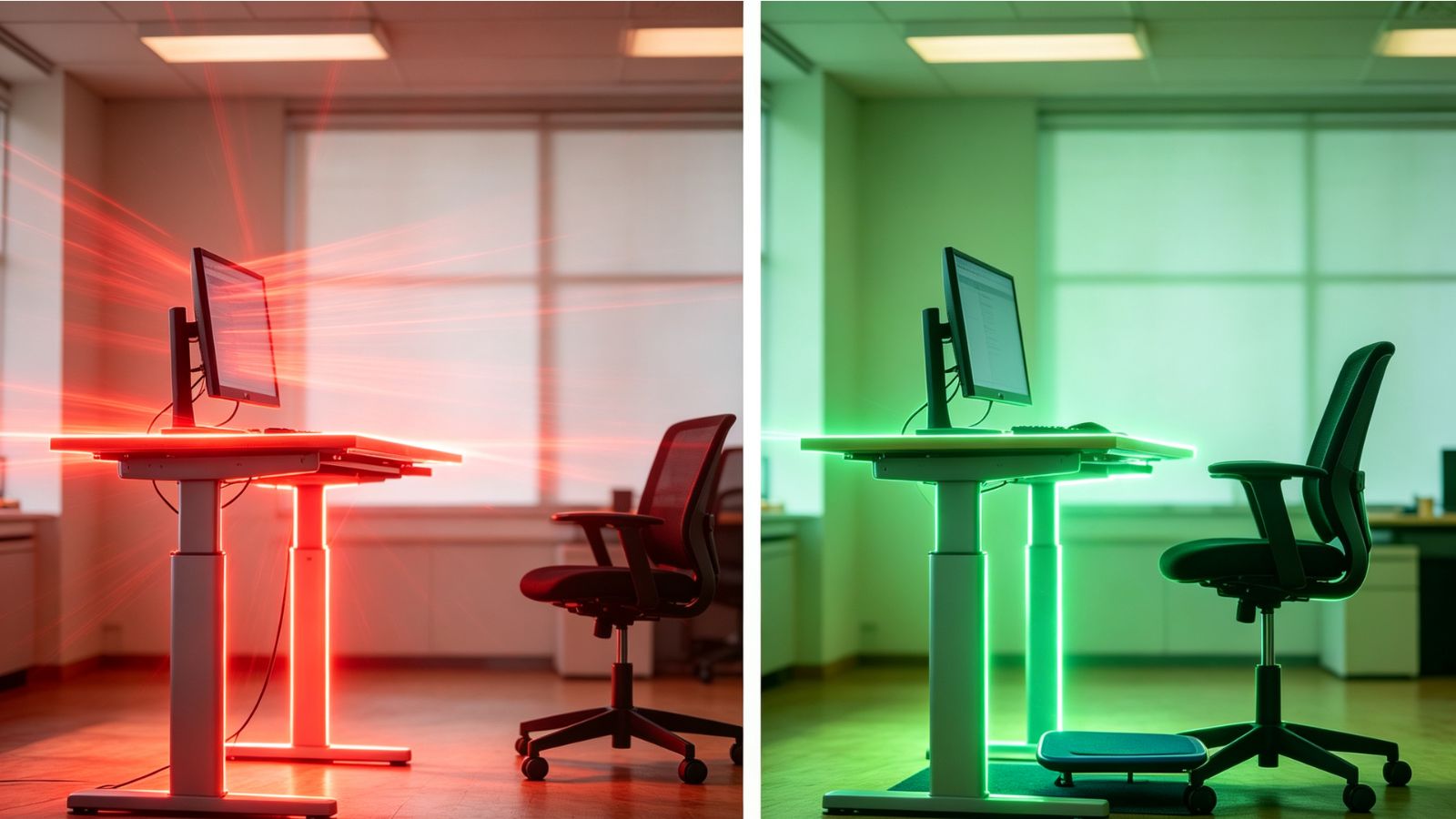
A sit-stand schedule should remain flexible. Work demands can change from one day to another, and the ideal routine may depend on deadlines, meetings, and task types.
A financial analyst reviewing spreadsheets may prefer seated precision work, while the same person may choose standing during email review or phone calls. A designer may sit during detailed editing and stand while reviewing concepts or organizing projects.
A useful workstation should make it easy to choose the position that matches the task at hand.
Implementing a standing desk effectively requires more than raising the height of a workspace. A practical sit-stand routine combines proper desk adjustment, realistic transition habits, and a schedule that matches the user’s daily activities.
The purpose of a standing desk is not to eliminate sitting but to create more opportunities for movement and position changes. When sitting and standing are used as practical options instead of strict requirements, the workstation becomes easier to adapt to changing tasks throughout the day.
