A well-organized desk is not simply a cleaner version of a messy workspace. It is a physical system that determines how easily people access information, switch between tasks, and interact with the tools they use every day. A writer developing a new concept, a data analyst reviewing reports, and an operations professional managing recurring tasks may all spend eight hours at a desk, but the best physical arrangement for each person can look very different.
The most effective desk layouts are designed around work patterns rather than appearance alone. A minimalist setup with almost nothing visible may work well for someone who spends most of the day focused on digital tasks, while another person may need notebooks, reference materials, documents, or physical samples within reach. Ergonomic guidance from the Occupational Safety and Health Administration (OSHA) emphasizes that there is no single correct workstation arrangement for everyone; instead, desks should be adjusted around the user, the equipment, and the tasks being performed.
The three work modes discussed in this article—creative, analytical, and administrative—are not fixed personality types. Most professionals move between these activities throughout the day. A product manager may brainstorm ideas in the morning, analyze performance data in the afternoon, and complete administrative tasks before finishing work. A flexible desk layout recognizes these transitions and makes it easier to change the environment without constantly rebuilding the entire workspace.
Many desk organization projects begin with accessories: cable organizers, drawer dividers, monitor stands, and storage containers. These tools can be useful, but they are not the foundation of an effective workspace. A better starting point is understanding what happens at the desk repeatedly. The purpose of organization is to reduce unnecessary effort between intention and action, whether that means capturing an idea, reviewing information, responding to messages, or completing a routine process.
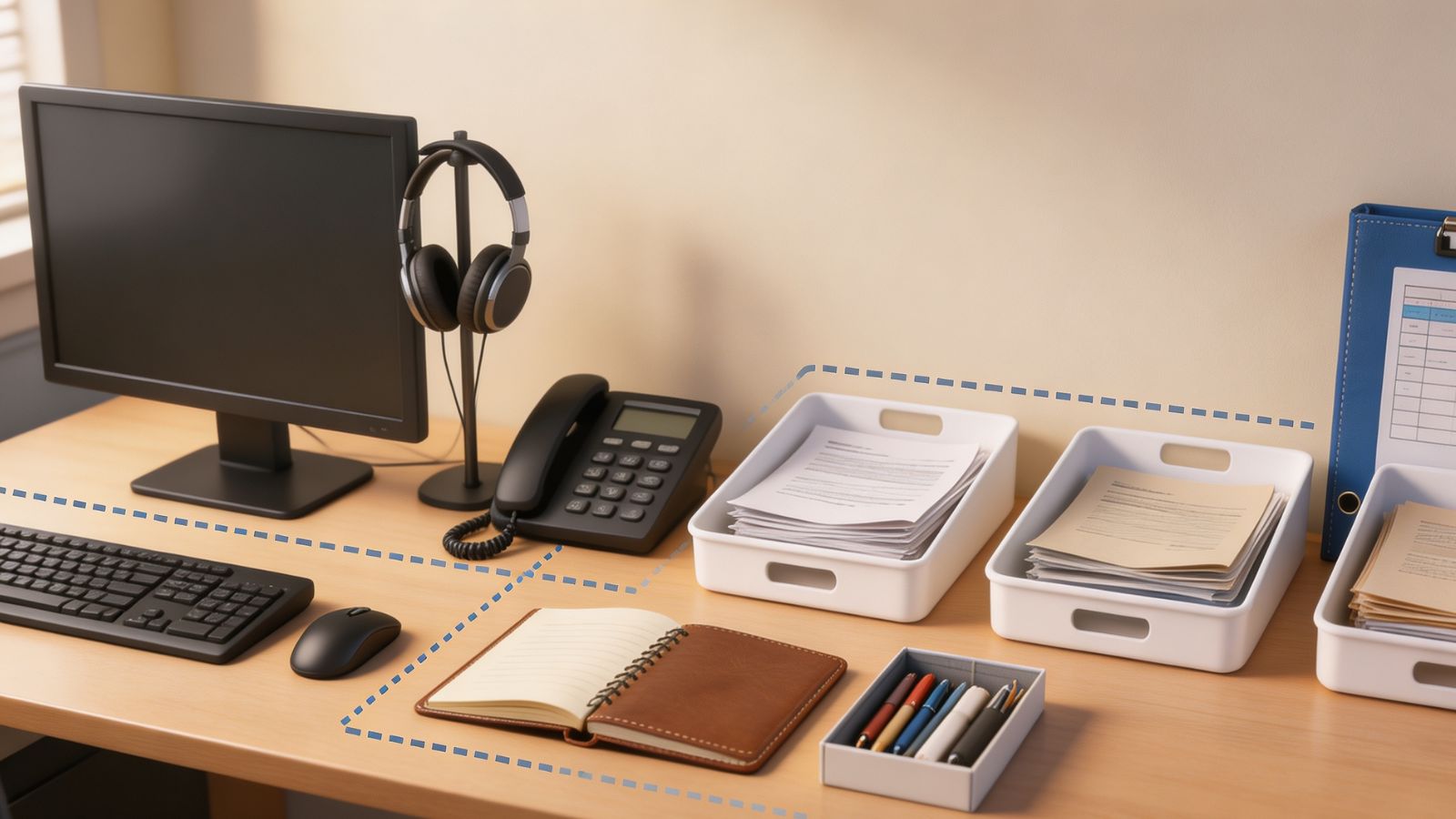
A practical way to design a desk is to divide it into working zones. The primary zone includes items used constantly, such as the keyboard, mouse, notebook, phone, or frequently accessed controls. The secondary zone holds materials needed during specific projects, while storage areas contain items that are important but not required during every task. OSHA similarly recommends placing commonly used components and accessories where they can be reached comfortably while maintaining a workstation arrangement that supports neutral working positions.
This approach works because different types of work require different relationships with physical objects. Creative work often benefits from visibility and flexibility because ideas may come from notes, sketches, samples, or references. Analytical work usually benefits from reducing unnecessary visual competition because the main challenge is processing information. Administrative work depends heavily on consistency because repeated tasks become easier when documents and tools have predictable locations.
A good desk layout is therefore not a permanent arrangement that looks impressive in a photograph. It is a working system that changes with responsibilities. Someone managing a major project may temporarily need more visible materials, while someone preparing financial reports may benefit from a clearer surface with fewer distractions.
Creative work usually involves exploration before execution. Designers, writers, marketers, researchers, and entrepreneurs often move through uncertain stages where they collect information, compare possibilities, and develop ideas. A creative workspace should support this process by making important inspiration accessible without allowing every object in the room to become a distraction.
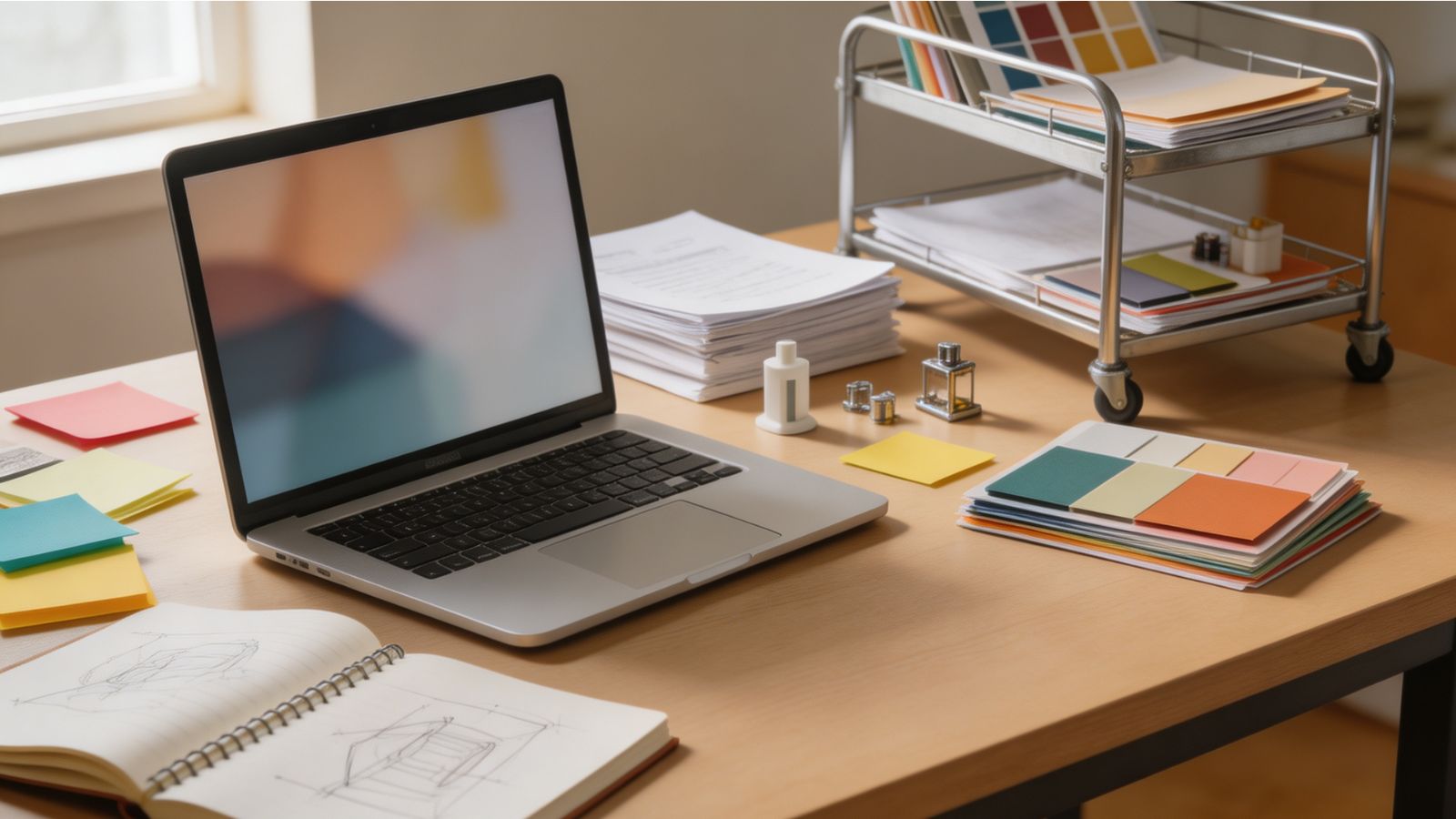
A useful creative layout often includes an active thinking area. This can be a portion of the desk reserved for notebooks, sketch materials, printed references, product samples, or planning documents. Keeping these items nearby reduces the distance between having an idea and recording it. However, visibility should be intentional. A desk covered with unrelated materials can create visual noise and make it harder to identify what is actually useful.
Creative professionals also benefit from temporary expansion space. A side table, rolling cart, or document holder can provide additional room during brainstorming sessions without permanently filling the main workspace. This is especially helpful for people who move between digital and physical tools, such as a designer comparing screen-based concepts with printed layouts.
Consider a product manager preparing a new feature proposal. During planning sessions, they may need sticky notes, research documents, customer feedback, and sketches nearby. Later, when reviewing project metrics, those materials may become distractions. A flexible creative setup allows the desk to support exploration when needed and return to a more focused arrangement afterward.
Analytical work requires a workspace that supports concentration, comparison, and accuracy. Professionals working with research, financial information, engineering data, or operational reports often spend significant time examining relationships between different sources of information. Their desks should make important resources easy to access while reducing unnecessary interruptions.
A strong analytical desk usually prioritizes clarity over visibility. Frequently used documents can be organized vertically, stored digitally, or placed in a dedicated reference area instead of remaining scattered across the work surface. Monitor placement is especially important because many analytical tasks involve comparing multiple windows or information sources. OSHA recommends arranging monitors and workstation components so users can work comfortably while avoiding unnecessary reaching, awkward angles, and poor positioning.
A typical analytical layout might include a central monitor area, a document reference zone to one side, and an open note-taking space nearby. This arrangement allows a person to compare information without constantly moving objects around. Cable management, consistent placement of equipment, and simple storage systems also matter because repeated small interruptions can become costly during complex tasks.
The goal is not to create an empty desk. A completely bare surface may force the user to repeatedly search for needed materials. Instead, analytical organization focuses on making important information easy to find while keeping unrelated items out of the immediate working area.
Administrative work often depends on reliability and repeatable processes. Scheduling, document handling, customer communication, record updates, and operational coordination require accuracy because small mistakes can affect many downstream tasks. A desk supporting this type of work should reduce unnecessary decisions and make common actions predictable.
An effective administrative layout places frequently used tools within easy reach. A phone, notebook, planner, writing tools, document trays, and commonly accessed forms should each have a clear location. This may seem simple, but repeated searches throughout the day create unnecessary interruptions. When workers know exactly where important materials belong, routine tasks become easier to manage.
Paper handling is another important part of administrative organization. Even in digital workplaces, temporary documents still appear. A basic system using categories such as incoming, active, and completed prevents paperwork from spreading across the workspace. The system does not need to be complicated; it only needs to make the next action clear.
Administrative workstations should also consider physical comfort because many tasks involve long periods of computer use. Proper placement of monitors, keyboards, and frequently used tools can reduce unnecessary reaching and support more comfortable working positions. OSHA notes that desk and equipment placement should allow users to position computer components appropriately and minimize awkward postures. (osha.gov)
Many modern workers do not perform only one type of task. A freelancer may switch between client planning, research, and invoicing. A manager may move from creative discussions to data reviews and then to scheduling meetings. For these users, a fixed desk layout designed around only one activity may eventually become inefficient.
A flexible workspace usually works better than a rigid one. Instead of assigning every item a permanent position, create areas that can change depending on the current task. The main computer zone can remain stable, while project materials, documents, or creative tools move in and out as needed.
For example, a remote product manager might keep a monitor, keyboard, and notebook permanently positioned in the primary zone. During a planning session, they may add customer notes and project documents to the desk. Before an analytical review, those materials can move to a secondary storage area while reports and reference data take priority.
Small desks can use the same principles. Limited space does not prevent good organization; it simply requires stronger decisions about what deserves immediate access. Vertical storage, drawers, and movable organizers can help separate active materials from occasional items without making the workspace feel crowded.
Many remote professionals need a workspace that supports several modes within a single day. A product manager, for example, may begin the morning reviewing customer feedback, spend midday brainstorming a new feature, and finish the afternoon updating project records. A desk designed around only one of these activities can create unnecessary friction when priorities change.
A practical hybrid setup keeps permanent tools stable while allowing temporary work materials to move in and out. The computer, keyboard, lighting, and basic writing tools may remain fixed because they support nearly every task. Project documents, creative notes, printed references, or planning materials can occupy temporary areas when needed and return to storage afterward.
The same principle applies to smaller home offices or shared spaces. A person working from a bedroom corner may not have room for separate creative, analytical, and administrative stations. Instead, they can create flexible layers: essential equipment stays visible, active projects receive temporary space, and inactive materials move into drawers or shelves. The goal is not to create a perfect office but to make transitions between tasks easier.
This approach also recognizes that workspaces are influenced by real life. Interruptions, changing deadlines, and shifting responsibilities are normal. A desk that can adapt quickly is often more useful than one designed around a single idealized routine.
One common mistake is copying another person’s workspace without considering differences in responsibilities. A visually appealing desk setup found online may be designed for a photographer, programmer, or content creator and may not work for someone who handles physical documents or frequent administrative tasks.
Another mistake is hiding everything in the name of minimalism. Frequently used tools should not require several steps to access. If a notebook, headset, or reference document is needed repeatedly, keeping it nearby may be more efficient than storing it away every time.
People also often forget that desk organization is not a one-time project. Work changes, technology changes, and responsibilities shift. A layout that worked for one project may become inefficient later. Reviewing the workspace periodically helps ensure that the physical environment continues to support actual work rather than outdated habits.
The most effective desk systems are not static displays. They are practical environments that evolve with the person using them.
An effective desk layout is not defined by how clean it looks but by how well it supports the work being performed. Creative tasks benefit from flexibility and accessible resources, analytical tasks require clarity and organized information, and administrative tasks depend on consistency and reliable processes.
The best workspace is not a universal template. It is a practical environment designed around real activities, changing priorities, and individual needs. By organizing physical desk layouts according to different work modes, professionals can create spaces that reduce friction, improve comfort, and make everyday work easier to manage.
